- Words With Friends
- 4.2

My Supermarket Simulator 3D
Screwdom
456 Run Challenge: Clash 3D
Block Blast!
Jewel Blast : Temple
Fruit Merge: Juicy Drop Game
Papa's Freezeria To Go!
Poppy Playtime Chapter 2
Poppy Playtime Chapter 1
Pokemon Go
Toca Life World
Roblox
Angry Birds Friends
slither.io
Forspoken
Dying Light 2 Stay Human
















Developer:
ZyngaLatest Version:
19.811Updated on:
Sep 6, 2023File Size:
112.7 MB
Install To Phone
Choose a platformThe games on our website are sourced from the App Store and Google Play. No viruses, no malware, you can download them through the recommended download links.
Words With Friends: The Complete Player's Guide
Words With Friends is a turn-based multiplayer word game built by Newtoy and now owned and run by Zynga, first released in July 2009. It plays like a mobile cousin of Scrabble: two people (or more, in some modes) take turns dropping tiles onto a shared board to build words crossword-style, racking up points based on letter value and board position.
I've been playing this thing on and off since it first showed up on iPhone, back when it was basically the only reason half my friends had a smartphone game in common. It's outlasted a dozen word-game clones because the core loop is simple, the matches stretch across days without feeling like homework, and there's real skill in it once you get past just knowing words.
This guide covers how the game actually works, what separates good players from great ones, and the practical stuff people run into: free versus paid, install problems, and how the mobile version differs depending on your device.
Is There a Free Version of Words With Friends?
Yes, Words With Friends is free to download and play on iOS and Android, supported by ads and optional in-app purchases. You are not locked out of playing matches without paying, though the free version shows ads between turns and offers boosts (like tile swaps or extra hints) for real money.
Zynga also runs Words With Friends 2, which added extra modes and a slightly different economy of coins and power-ups, but the free-to-play core is the same across versions. If someone tells you the app 'stopped being free,' what they're usually running into is a subscription upsell (an ad-free tier) that pops up more aggressively than it used to. You can decline it and keep playing without spending anything.
How Do You Play Words With Friends for Beginners?
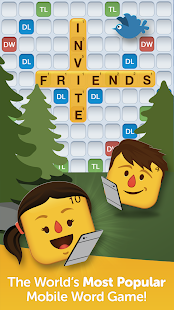
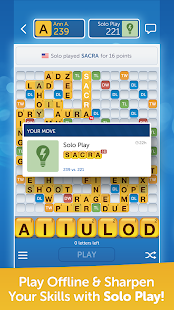
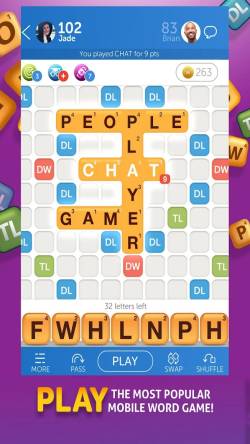
Each player starts with seven letter tiles and takes turns placing them on a 15x15 board to spell words that connect to tiles already in play, exactly like Scrabble's crossing-word rule. Words can run horizontally or vertically, and every new word must touch at least one tile already on the board (except the very first move, which has to cross the center square).
Scoring comes from the point value printed on each tile combined with bonus squares on the board. Double Letter and Triple Letter squares multiply a single tile's value, while Double Word and Triple Word squares multiply your entire word's score, so hitting one of those with a long word is where big turns come from.
New players tend to make the same handful of mistakes early on:
- Playing the first word you see instead of scanning for a bonus square you can land on
- Hoarding high-value letters like Q, X, and Z instead of finding a spot to use them
- Ignoring the tile rack's vowel-consonant balance and getting stuck with a rack of five vowels
- Never using the shuffle or swap options when the rack has nothing workable
What Is the Best Strategy for Words With Friends?
Strong Words With Friends play is less about knowing obscure words and more about board control. The best players I've seen think two moves ahead, deliberately avoiding plays that open up a Triple Word square for the opponent on the next turn.
A few habits separate strong players from casual ones. Short two- and three-letter words (like QI, ZA, or XU) are the connective tissue that let you slot high-value tiles into tight spaces other players can't use. Blank tiles should almost always go toward your biggest scoring play of the game, not spent early just to clear a rack.
In practice, defense matters as much as offense. Before you play a word, look at what tiles you'd be leaving exposed next to open bonus squares. A 30-point word that hands your opponent a 60-point response on their turn is a net loss, even though it feels good in the moment.
Is Words With Friends No Longer Free?
Words With Friends remains free to download and play; what changed over the years is how aggressively Zynga pushes its paid ad-free subscription and coin bundles. Some players who saw a paywall prompt assumed the whole game had gone premium, but the base game and standard matchmaking are still accessible without payment.
If you're seeing a hard block rather than an ad or an upsell screen, that's more likely an account issue, an outdated app version, or a regional store change than a genuine shift to paid-only access.
How Do I Reinstall Words With Friends?
Reinstalling Words With Friends means deleting the current app and downloading it fresh from the Google Play Store or Apple App Store, which usually clears out corrupted local data causing crashes or freezes. Before you delete it, confirm your account is linked to Facebook, Zynga, Apple, or Google Play Games so your game history and in-progress matches carry over.
On iPhone, hold the app icon until it jiggles, tap remove, then head back to the App Store and reinstall. On Android, long-press the icon, tap uninstall, then reinstall through Google Play. After reinstalling, log in with the same account you used before, and your active games should sync back within a minute or two.
Why Can't I Open Words With Friends?
Words With Friends usually fails to open because of an outdated app version, insufficient storage space, or a server-side outage on Zynga's end. At 112.7 MB or more per the current release, the app needs enough free device storage to update and cache game data, and a nearly-full phone is a common, boring cause of crashes on launch.
Before assuming the worst, run through the basics: check for a pending app update in your store, restart the phone, and confirm your internet connection is stable. If the app opens then immediately closes, that pattern usually points to a version conflict, which reinstalling clears up more reliably than repeated force-quits.
- Update the app to the latest version through the App Store or Google Play
- Free up storage space if the device is near capacity
- Restart your device and check your Wi-Fi or mobile data connection
- Reinstall the app if crashes continue after updating
How Does Words With Friends Differ Across Platforms?
Words With Friends runs on Android, iOS, and Windows, with cross-platform play letting an iPhone user face off against someone on Android without issue. The core rules and board don't change between devices, but interface details, like how the tile tray scrolls or how notifications behave, vary slightly by operating system.
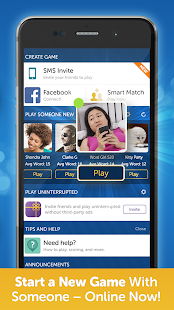
On iPhone specifically, the game integrates with Game Center and push notifications for turn alerts, which is handy since matches can otherwise sit idle for days if nobody remembers whose turn it is. Facebook login remains one of the simplest ways to find friends already playing, since the game can scan your friend list for existing players.
Frequently Asked Questions
Is there a free version of Words With Friends?
Yes, it's free to download and play on iOS and Android, supported by ads with optional paid upgrades like an ad-free subscription.
How do I reinstall Words With Friends?
Delete the app, confirm your account is linked (Facebook, Zynga, Apple, or Google Play Games), then redownload it from your device's app store and log back in to sync your games.
What is the best strategy for Words With Friends?
Focus on board control: use short words to reach bonus squares, save blank tiles for your biggest play, and avoid moves that leave a Triple Word square open for your opponent.
Is Words With Friends no longer free?
No, it's still free to play. What players notice is a more aggressive push toward the paid ad-free subscription, not a removal of free access.
Why can't I open Words With Friends?
Common causes are an outdated app version, low device storage, or a temporary server outage. Update the app, free up space, restart your device, and reinstall if the problem persists.












Similar Games
Samkok: New Force
Snake Clash!
Kpop Piano Beats - Music Game
Friday Night Funkin'
Buildit
Sprunki Beat: Full Mod Music
Conquer Countries
Gossip Harbor: Merge & Story
Carnival Tycoon: Idle Games
Music Piano 7: Rush Song Games
Kingshot
My Talking Tom Friends 2
Goods Puzzle: Sort Challenge
I Am Security
Last War:Survival Game
mo.co
Block Crazy Robo World
Color Block Jam






Reviews
No comment yet !