
- Roblox
- 4.8

My Supermarket Simulator 3D
Screwdom
456 Run Challenge: Clash 3D
Block Blast!
Jewel Blast : Temple
Fruit Merge: Juicy Drop Game
Papa's Freezeria To Go!
Poppy Playtime Chapter 2
Poppy Playtime Chapter 1
Pokemon Go
Toca Life World
Roblox
Angry Birds Friends
slither.io
Forspoken
Dying Light 2 Stay Human















Developer:
Roblox CorporationLatest Version:
2.562.360Updated on:
Feb 9, 2023File Size:
216.8 MB
Install To Phone
Choose a platformThe games on our website are sourced from the App Store and Google Play. No viruses, no malware, you can download them through the recommended download links.
Roblox: A Complete Guide to Playing the Platform in 2026
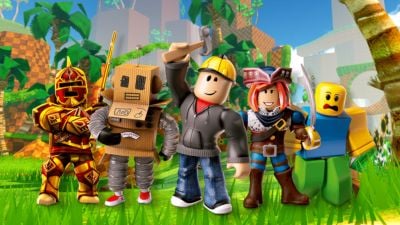
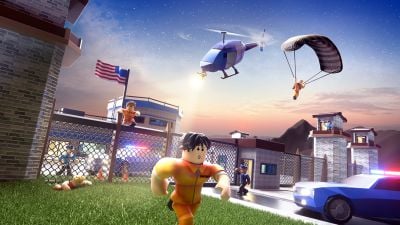
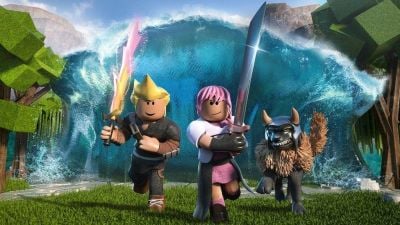
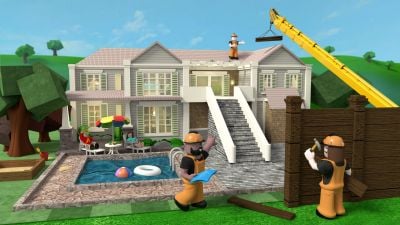
Roblox is not a single game, it is a platform where players run experiences built by millions of independent creators using Roblox Corporation's own scripting language, Luau. That distinction trips up a lot of newcomers who show up expecting one game and instead find an entire storefront of them, ranging from obstacle courses to tycoon sims to full roleplay towns. I have spent years watching kids and adults alike get hooked on it for completely different reasons, and the appeal really does come down to variety plus the social layer bolted onto every experience.
This guide covers what actually matters if you are new: getting it installed on whatever device you own, logging in without headaches, and understanding why some players skip the install entirely. I will also flag the things that confuse people most, like why Roblox on a phone feels different from Roblox on a browser, and what playing on Xbox actually involves.
How Do You Play Roblox for Free?
Roblox itself costs nothing to install or use, and the vast majority of experiences on it are free to enter. The company makes money through Robux, its virtual currency, which players spend on cosmetics, game passes, or perks inside specific experiences rather than on access to the platform.
In practice this means you can create an account, download the client, and play thousands of experiences without ever spending a cent. What trips up new players is assuming a locked door or premium item means the whole game is paywalled, when usually it is one optional extra in an otherwise free experience. Some creators do lean harder into monetization than others, and it is worth checking reviews or asking in the experience's community before buying anything.
How Do You Download and Install Roblox?
Roblox installs through official channels only: the Roblox website for PC and Mac, the App Store for iOS, Google Play for Android, and the Microsoft Store for Xbox and Windows. The Android client alone runs well over 200MB depending on the version, and it updates frequently since Roblox Corporation pushes engine and safety changes on a near-monthly cadence.
On a desktop, visiting roblox.com and clicking play on any experience triggers the installer automatically, no separate download page required. On mobile, it is a standard app store install. The best players I've seen recommend keeping the app updated rather than delaying, since older builds sometimes lose access to newer experiences or features mid-session.
- PC and Mac: install via roblox.com, launches with the browser client
- Android and iOS: install via Google Play or the App Store
- Xbox One: install via the Microsoft Store, no separate account needed beyond Xbox Live
- Windows 10/11 app: available through the Microsoft Store as an alternative to the browser installer
Can You Play Roblox Without Downloading It?
Yes, on most desktop browsers Roblox now supports cloud streaming through its own browser-based player, which lets you jump into an experience without installing the native client first. This matters most for people on locked-down school or work computers where installing software is not an option.
It is not universal though. Some older or lower-powered devices still redirect you to the standard installer, and certain experiences with heavier graphics run better through the native app than through streaming. If you just want to test the platform before committing to a full install, the browser route is the fastest way to get a feel for it.
How Do You Play Roblox on PC With a Keyboard?
Roblox on PC defaults to keyboard and mouse controls for the majority of experiences, with WASD for movement and mouse look in most 3D games, mirroring standard PC game conventions. Once installed, logging in through the desktop client or browser gives you the full control scheme without any extra setup.
Where it gets inconsistent is that individual creators can remap or restrict controls inside their own experience, so a racing game might use arrow keys while a shooter uses WASD plus click to aim. If a control scheme feels broken, check the experience's own settings menu first since Roblox itself rarely limits what creators can configure.
How Do You Play Roblox on Mobile and iPad?
The Roblox app on iOS and Android translates PC-style controls into on-screen joysticks and buttons automatically, and this works on iPad through the same iOS app without a separate tablet version. Touch controls are functional but noticeably less precise than keyboard and mouse, which matters a lot in fast experiences like shooters or parkour-style obstacle courses.
In my experience, casual and social experiences (roleplay towns, tycoons, simple simulators) hold up fine on mobile, while anything demanding twitch reflexes plays better on PC or console. If you are choosing a device specifically for Roblox and competitive experiences matter to you, do not expect mobile to match a keyboard setup.
How Do You Play Roblox on Xbox and TV?
Roblox has an official Xbox One app available through the Microsoft Store, controlled entirely with a gamepad, and it uses the same account system as PC and mobile so your inventory and Robux carry across devices. There is no dedicated smart TV app; the closest option is casting or mirroring from a phone, tablet, or PC, or running Roblox through a Windows-based device connected to a television.
Console players should know that not every experience is optimized for controller input. Some creators design specifically for keyboard and mouse, and those games can feel clunky on Xbox even though the app technically runs them. Checking an experience's player count and recent reviews before diving in avoids wasted time on a poorly adapted port.
What Is Roblox Studio and Do You Need It to Play?
Roblox Studio is the free creation tool Roblox Corporation provides for building experiences using Lua and its own Luau variant, and it is entirely separate from the player client used to just play games. You do not need Studio installed to log in and play; it only matters if you want to build or edit an experience yourself.
For players curious about how their favorite experience was made, Studio is worth a look since Roblox has leaned hard into supporting independent creators, some of whom have built genuinely large studios off the back of a single popular game. It is a real barrier to entry compared to just playing though, and expecting to publish something polished in a weekend is unrealistic.
Frequently Asked Questions
Is Roblox free to play?
Yes, downloading the platform and playing the large majority of experiences on it costs nothing. Optional in-experience purchases use Robux, the platform's virtual currency.
What devices support Roblox?
Roblox runs on Windows and Mac PCs, iOS and Android phones and tablets, and Xbox One consoles through official apps and installers from Roblox Corporation.
Can I play Roblox on a Chromebook?
Yes, through the browser-based player, since Chromebooks generally cannot run the full native installer the way Windows or Mac can.
Do I need Roblox Studio to play games?
No, Studio is a separate creation tool for building experiences. Playing only requires the standard Roblox app or browser client.
Why does Roblox play differently on mobile versus PC?
Mobile relies on touch controls translated into on-screen joysticks, which are less precise than keyboard and mouse, so fast-paced experiences generally feel better on PC.












Similar Games
Samkok: New Force
Snake Clash!
Kpop Piano Beats - Music Game
Friday Night Funkin'
Buildit
Sprunki Beat: Full Mod Music
Conquer Countries
Gossip Harbor: Merge & Story
Carnival Tycoon: Idle Games
Music Piano 7: Rush Song Games
Kingshot
My Talking Tom Friends 2
Goods Puzzle: Sort Challenge
I Am Security
Last War:Survival Game
mo.co
Block Crazy Robo World
Color Block Jam






Reviews
22 December,2023
334323 January,2024
191923 January,2024
194520 March,2025
54323 January,2024
1778