
- I Am Security
- 5

My Supermarket Simulator 3D
Screwdom
456 Run Challenge: Clash 3D
Block Blast!
Jewel Blast : Temple
Fruit Merge: Juicy Drop Game
Papa's Freezeria To Go!
Poppy Playtime Chapter 2
Poppy Playtime Chapter 1
Pokemon Go
Toca Life World
Roblox
Angry Birds Friends
slither.io
Forspoken
Dying Light 2 Stay Human
















Developer:
EstotyLatest Version:
1.0.9Updated on:
March 14, 2025File Size:
378 MB
Install To Phone
Choose a platformThe games on our website are sourced from the App Store and Google Play. No viruses, no malware, you can download them through the recommended download links.
I Am Security: The Nightclub Door Guard Simulator Explained
I Am Security is a door-guard simulator developed by Estoty, currently at version 1.0.9 with a March 2025 update, available on Android, iOS, Steam, and Meta Quest. You play a nightclub bouncer whose entire job is checking IDs, spotting fakes, and deciding who gets past the rope.
I've spent a fair amount of time with games in this checkpoint-inspection genre, the ones that trace back to titles like Papers Please, and I Am Security earns its place among them. It strips the premise down to a single door, a line of guests, and a stack of rules you have to hold in your head while the clock runs.
This guide covers what the game actually asks of you, where you can play it, what the symbols on IDs mean, and how the newer airport and VR spinoffs change the formula. If you're deciding whether to download it or just want to get better at the line, this should cover it.
What Is I Am Security and How Do You Play It?
I Am Security puts you behind a velvet rope as a club bouncer who has to approve or reject guests based on posted entry rules. Estoty built the core loop around fast pattern recognition: a guest walks up, shows an ID or ticket, and you compare it against whatever criteria the club has set for that night.
In practice the difficulty comes from stacking conditions. Early shifts might just require checking a minimum age. Later ones throw in dress codes, guest list names, banned symbols, and expiration dates all at once, and you've got maybe a few seconds per person before a line forms and your rating drops.
The best players I've seen treat it like a rhythm game rather than a puzzle. You're not solving each case fresh, you're pattern-matching against rules you've already memorized, so speed comes from repetition more than cleverness.
What Platforms Is I Am Security Available On?
I Am Security runs on five main platforms right now, with slightly different feature sets depending on where you install it.
The mobile versions on Google Play and the App Store are the most accessible entry point, and they're the versions most people searching for the phone experience will land on first.
- Android (Google Play)
- iOS (App Store)
- PC via Steam
- Meta Quest (VR version)
- Browser-based online versions hosted on third-party game sites
Is I Am Security Free to Play?
The mobile versions of I Am Security on Google Play and the App Store are free to download, typically supported by ads and optional in-app purchases. This is the version most casual players mean when they ask if the game is free.
The Steam release is a paid PC download rather than a free-to-play title, and pricing there follows Steam's normal regional pricing rather than a fixed global number, so check the store page for your region before assuming a price. The Meta Quest VR edition also carries its own store listing and price separate from mobile.
If you just want to try the concept without committing, browser versions hosted on flash-style game portals let you play a version of the door-check loop for free directly in a tab, no install required.
What Age Rating Does I Am Security Have?
I Am Security is rated for a general audience on mobile storefronts, since the actual gameplay is limited to checking documents and tapping approve or deny, without graphic violence or explicit content driving the loop. That said, the club setting and themes around nightlife access mean it skews toward teen and older players rather than young children.
Parents checking the listing should look at the specific rating shown on their region's Google Play or App Store page, since exact age labels vary by country. The core content itself stays fairly tame: it's a bureaucratic inspection game dressed up in nightclub aesthetics, closer in tone to a puzzle app than anything graphic.
What Do the Symbols on IDs Mean in I Am Security?
The ID and ticket symbols in I Am Security function as the game's core rule language, each one flagging a specific condition you need to check against that shift's requirements. A birth date tells you whether someone clears the age minimum. A stamp or seal often signals membership status or a VIP pass. Certain icons mark banned items or restricted guest types you're supposed to turn away on sight.
What trips up new players is assuming the symbols are static. The club's rules change from shift to shift, so a symbol that meant 'approve' on Monday night might mean 'reject' once a new poster goes up at the door. Reading the current rule sheet at the start of each shift, and actually re-reading it when it updates mid-shift, matters more than memorizing any single icon permanently.
The safest habit is treating every new shift as a reset: glance at the rule board first, then start scanning documents against it rather than running on autopilot from the last round.
How Does the I Am Security Airport Mode Differ From the Club?
I Am Security's airport-themed mode moves the inspection loop from a nightclub door to a security checkpoint, swapping guest lists and dress codes for boarding passes, passports, and banned-item scans. The core mechanic stays the same, compare a document against a rule set and approve or deny, but the setting changes the pressure and pacing.
Airport shifts tend to lean harder on item detection, since you're checking bags and carry-ons in addition to ID documents, which adds a visual search layer on top of the reading task. Fans who've played both modes generally describe the airport version as a bit busier per-guest, since there's simply more to inspect than a single ID card.
How Do You Play the VR Version of I Am Security?
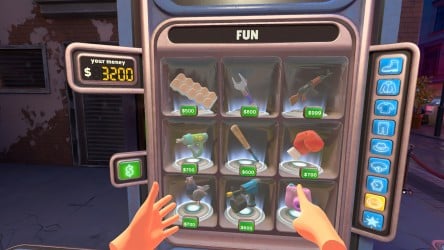
The Meta Quest version of I Am Security translates the same document-checking gameplay into a first-person VR booth, where you physically reach out to grab IDs, boarding passes, or bags and inspect them up close. Instead of tapping a screen, you're using motion controllers to turn documents over, hold them up to a light, or scan items for banned symbols.
This version rewards players who like tactile, hands-on puzzle mechanics over pure speed-tapping. The pacing is generally a touch slower than mobile or Steam because physically grabbing and rotating objects takes longer than a screen tap, but it makes the inspection process feel more grounded and less abstract.
Frequently Asked Questions
Who developed I Am Security?
I Am Security was developed by Estoty. The most recent listed update is version 1.0.9 from March 14, 2025.
Can I play I Am Security online for free without downloading it?
Yes, browser-based versions of the door-check gameplay are hosted on various free game portals, letting you try the loop without installing the mobile, Steam, or VR versions.
Is I Am Security available on PC?
Yes, I Am Security is available on Steam as a paid PC download, separate from the free mobile app versions.
Does I Am Security have a VR version?
Yes, there's a VR edition on Meta Quest that puts you in a first-person security booth using motion controllers to inspect documents and items by hand.
What's the difference between the club and airport versions of I Am Security?
The club version has you checking guest IDs and dress codes at a nightclub door, while the airport version shifts the setting to a security checkpoint with boarding passes, passports, and bag scans.
How much does I Am Security cost?
The mobile app is free with optional in-app purchases, while the Steam and Meta Quest versions are paid downloads priced according to their respective storefronts.















Similar Games
Samkok: New Force
Snake Clash!
Kpop Piano Beats - Music Game
Friday Night Funkin'
Buildit
Sprunki Beat: Full Mod Music
Conquer Countries
Gossip Harbor: Merge & Story
Carnival Tycoon: Idle Games
Music Piano 7: Rush Song Games
Kingshot
My Talking Tom Friends 2
Goods Puzzle: Sort Challenge
I Am Security
Last War:Survival Game
mo.co
Block Crazy Robo World
Color Block Jam






Reviews
No comment yet !