
- Game Pigeon
- 4.2

My Supermarket Simulator 3D
Screwdom
456 Run Challenge: Clash 3D
Block Blast!
Jewel Blast : Temple
Fruit Merge: Juicy Drop Game
Papa's Freezeria To Go!
Poppy Playtime Chapter 2
Poppy Playtime Chapter 1
Pokemon Go
Toca Life World
Roblox
Angry Birds Friends
slither.io
Forspoken
Dying Light 2 Stay Human
















Developer:
Vitalii ZlotskiiLatest Version:
1.0Updated on:
October 13, 2016File Size:
2.3M
Install To Phone
Choose a platformThe games on our website are sourced from the App Store and Google Play. No viruses, no malware, you can download them through the recommended download links.
GamePigeon: The iMessage Extension That Turned Texting Into a Playground
GamePigeon is an iMessage extension for iOS built by developer Vitalii Zlotskii, first released on September 13, 2016. It sits in the app drawer above your iMessage keyboard and lets two people play short, casual games without leaving a text conversation.
I've had this thing installed on every iPhone I've owned since college, and it still gets more actual playtime than half the standalone mobile games on my home screen. That's the trick GamePigeon pulled off: it made waiting for a text back into something worth doing.
This guide covers what GamePigeon actually is, why it's iPhone-only, what your options are if you're on Android, and which of its games are worth your time.
What Is GamePigeon and Who Made It?
GamePigeon is a single iMessage app extension, not a standalone app you open on its own, developed by Vitalii Zlotskii and published through Apple's App Store starting in 2016. It rode in on iOS 10, the update that first let third-party extensions plug directly into the Messages app.
Once installed, it shows up as an icon in your iMessage app tray. Tap it, pick a game, send it, and whoever you're texting gets an interactive card they can tap to take their turn. No separate app switching, no accounts, no lobby screens.
Is GamePigeon Only for iPhone?
Yes, GamePigeon is built specifically for iOS and iMessage, which means both people in the conversation traditionally needed an iPhone (or iPad/Mac running Messages) to play together. It's not published for Android through Google Play, and there's no official Android version from the original developer.
This is the single biggest source of confusion I see. Someone gets a GamePigeon invite from an iPhone-owning friend, goes looking for it on their Android phone, and finds nothing legitimate in the Play Store. What they usually find instead are copycat apps or unofficial APKs, and I'd steer clear of installing random APK files claiming to be GamePigeon since Apple never authorized any Android build.
How Do You Play GamePigeon on iPhone?
Playing on iPhone starts inside an existing iMessage thread with another iPhone user, since the extension has to be enabled through the Messages app itself, not downloaded and run separately. You install it once from the App Store, then it lives inside every conversation.
The setup, in practice, goes like this.
- Download GamePigeon from the App Store
- Open any iMessage conversation
- Tap the App Store icon (the gray 'A' or apps drawer) next to the text field
- Find the GamePigeon icon in your extension list and enable it if it's hidden
- Pick a game, customize any settings, and hit send
How Do You Play GamePigeon on Android?
There's no official way to run GamePigeon natively on Android, but a few workarounds have popped up over the years. The most talked-about is OpenPigeon, a feature built into the OpenBubbles project, which reimplements several GamePigeon-style games so Android users can join in on games sent from an iPhone.
In my experience these third-party solutions cover the popular titles like Cup Pong, Basketball, Archery, Word Hunt, and Battleship reasonably well, but they're built by reverse-engineering Apple's protocol, so expect occasional hiccups when Apple tweaks something on their end. If a friend on Android is asking how to join in, this route is the realistic answer rather than hunting for a Play Store listing that doesn't exist.
Can You Play GamePigeon Against the Computer?
GamePigeon was designed as a two-human, back-and-forth iMessage extension, and it doesn't include a built-in single-player or AI opponent mode. Every game needs a second real person on the other end of the thread taking their turn.
If you're looking for a solo session against a bot, GamePigeon isn't going to deliver that experience. What people usually mean when they ask this is wanting a lower-stakes practice run, and the closest thing is just replaying games like Word Hunt or 8-Ball solo in a thread with yourself, which some players do just to get a feel for the controls before challenging a friend.
What Are the Best GamePigeon Games?
GamePigeon bundles roughly 20 mini-games spanning sports, board games, and word puzzles, and Wikipedia lists the genre as sports video game and simulation. Not all of them get equal playtime among the people I know who use it regularly.
The ones that come up again and again in group chats.
- Cup Pong, a flick-and-aim take on the drinking game minus the drinking
- Basketball, a quick timed shooting challenge
- Word Hunt, a fast word-search race against the clock and your opponent
- Battleship, the classic grid-guessing strategy game
- Darts, a precision-aim game that rewards steady thumb control
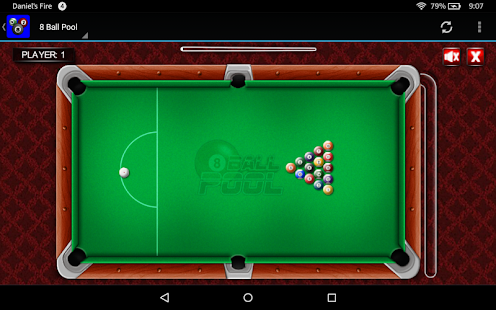
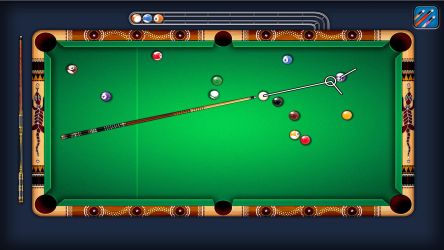
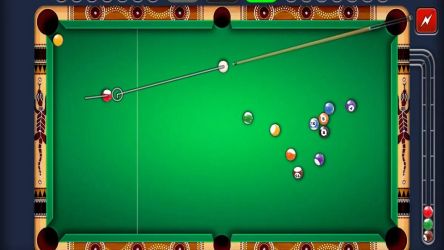
- 8 Ball, a pool game that plays out surprisingly well on a small screen
What Tips Help You Win More GamePigeon Games?
Most GamePigeon games reward touch precision over strategy, and that's what trips up new players who assume it's all luck. Darts and Basketball especially come down to consistent swipe pressure rather than aim alone.
A few habits I've picked up from players who reliably win these matches.
- Practice your swipe strength on Basketball and Darts before a real match, since power control matters more than direction
- In Word Hunt, scan for the longest words first since they score disproportionately more points
- In Battleship, spread your ships toward the edges rather than clustering them in the center
- Play a couple of throwaway rounds to learn the physics of a new game before it counts
Frequently Asked Questions
Is GamePigeon free?
GamePigeon is available through the App Store as an iMessage extension and both players need it installed to play together.
Is GamePigeon on the Play Store?
No. GamePigeon has no official Android or Google Play release. Android users rely on unofficial projects like OpenPigeon to join games sent from an iPhone.
What devices support GamePigeon?
GamePigeon works on iPhone, iPad, and Mac through the Messages app, since it's an iMessage extension rather than a standalone app.
How many games does GamePigeon have?
GamePigeon includes around 20 mini-games covering sports, strategy, and word categories, including Cup Pong, Basketball, Battleship, Darts, and Word Hunt.
Can I play GamePigeon with someone on Android?
Not officially through Apple, but the OpenBubbles project's OpenPigeon feature lets Android users join several GamePigeon games sent from iPhones.
Who developed GamePigeon?
GamePigeon was developed by Vitalii Zlotskii and released on September 13, 2016, built on the iOS 10 iMessage app extension framework.













Similar Games
Samkok: New Force
Snake Clash!
Kpop Piano Beats - Music Game
Friday Night Funkin'
Buildit
Sprunki Beat: Full Mod Music
Conquer Countries
Gossip Harbor: Merge & Story
Carnival Tycoon: Idle Games
Music Piano 7: Rush Song Games
Kingshot
My Talking Tom Friends 2
Goods Puzzle: Sort Challenge
I Am Security
Last War:Survival Game
mo.co
Block Crazy Robo World
Color Block Jam






Reviews
No comment yet !