- Block Craft 3D
- 4.7

My Supermarket Simulator 3D
Screwdom
456 Run Challenge: Clash 3D
Block Blast!
Jewel Blast : Temple
Fruit Merge: Juicy Drop Game
Papa's Freezeria To Go!
Poppy Playtime Chapter 2
Poppy Playtime Chapter 1
Pokemon Go
Toca Life World
Roblox
Angry Birds Friends
slither.io
Forspoken
Dying Light 2 Stay Human
















Developer:
Fun Games For FreeLatest Version:
2.13.5Updated on:
14 April 2021File Size:
74M
Install To Phone
Choose a platformThe games on our website are sourced from the App Store and Google Play. No viruses, no malware, you can download them through the recommended download links.
Block Craft 3D: A Builder's Guide to the Blocky Sandbox
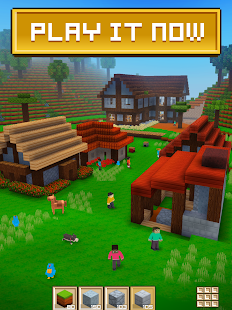
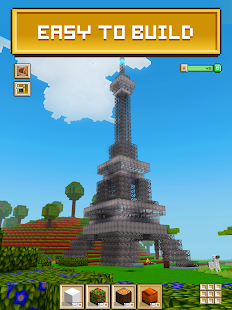
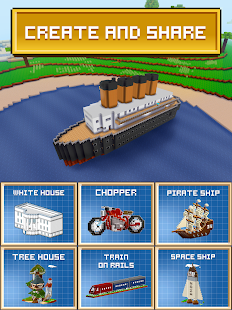
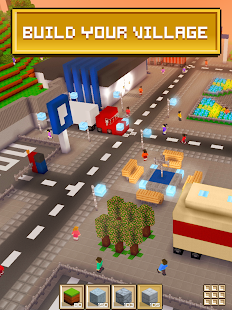
Block Craft 3D is a free-form building game where you stack cubes to raise villages, castles, and the odd spaceship, and it has stuck around on mobile app stores since its 2015 release. The pitch is simple: pick a block, place it, repeat until you have something worth screenshotting. There is no fail state chasing you, which is exactly why it has held a loyal audience of casual builders for the better part of a decade.
What keeps people coming back is the mix of a crafting loop with genuinely low pressure. You mine or earn resources, unlock more block types, and expand a plot that starts small and grows as you invest time in it. It borrows its DNA openly from Minecraft, but the shorter sessions and simplified controls make it a different animal, one built for quick mobile play rather than deep survival mechanics.
What Is Block Craft 3D and Who Made It?
Block Craft 3D is a sandbox building game published by Fun Games For Free, with development credited to TFG co., first released on July 11, 2015. It runs on Android and iOS, and the version most people install today (2.13.5, last updated in April 2021) still centers on the same core loop: gather blocks, place them freely, and build without a timer or a boss fight breathing down your neck.
The genre sits closest to adventure-building hybrids rather than strict survival crafting. There is no combat system pushing you forward, so the entire experience is player-paced. That's a deliberate design choice, and in practice it's what makes the game approachable for younger players and casual builders who just want to decorate a village without worrying about hunger meters or monsters.
How Do You Play Block Craft 3D?
Playing Block Craft 3D means selecting blocks from an inventory wheel and placing them onto a grid-based world, then switching between building and a light crafting system that turns raw materials into new block types. You start on a small plot, and the more you build and complete simple in-game goals, the more territory and options open up.
New players usually spend their first sessions figuring out the camera controls and the placement grid, since mobile touch controls take a bit of getting used to compared to a mouse and keyboard building game. The best players I've seen treat the early game as a resource-gathering phase before committing to a big build, stockpiling blocks so a project doesn't stall halfway through.
- Tap to place a block from your selected inventory slot
- Swipe or drag to rotate the camera around your build
- Mine terrain blocks to add them to your inventory
- Craft raw materials into decorative or structural block types
- Expand your plot as you unlock more building space
Can You Play Block Craft 3D on PC?
Block Craft 3D was built as a mobile title for Android and iOS, and there is no official native PC client from Fun Games For Free. People searching for a PC version are generally looking at running the Android app through an emulator, which lets you use a mouse and keyboard for what is otherwise a touch-first interface.
This works reasonably well in practice, since the building mechanics translate cleanly to point-and-click controls. What trips up new players is expecting a native desktop build with the exact same interface, when really you're just running the mobile app in a larger window. If you want the intended experience, though, a phone or tablet is still the simplest path.
Is Block Craft 3D Safe to Download and Play?
Block Craft 3D is generally considered safe when downloaded from official sources like Google Play or the Apple App Store, since both platforms vet apps before listing them. The file size sits around 74MB, which is light enough that install time and storage concerns are basically non-issues.
The main thing worth flagging isn't malware risk but the free-to-play model itself: expect ads and optional in-app purchases layered over the core building experience. Parents supervising younger players should know that in-app purchase prompts exist, though they're not mandatory to enjoy the building and crafting loop.
Can You Play Block Craft 3D With Friends?
Block Craft 3D's core mode is built around solo, single-player building rather than a persistent shared multiplayer world in the style of Minecraft servers. If you're hoping to co-build a city with a friend in real time on the same map, that's not the game's central design, and it's a common point of confusion for players coming over from Minecraft.
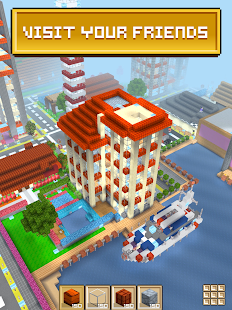
Where the game does connect players is through sharing screenshots or videos of finished builds and browsing what other players have made for inspiration. If real-time collaborative building with friends is the priority, it's worth setting expectations before downloading, since the appeal here is closer to a personal diorama you shape at your own pace.
How Does Block Craft 3D Compare to Minecraft?
Block Craft 3D is often described as a lighter, mobile-first alternative to Minecraft, and the comparison is fair given the shared cube-based building foundation. Minecraft runs a full survival system with hunger, combat, and a much deeper crafting tree, while Block Craft 3D strips that down to focus almost entirely on the building and light resource-gathering side.
That trade-off is the whole appeal for a certain type of player. If you want deep systems and challenge, Minecraft wins easily. If you want to open an app, place blocks for fifteen minutes on a commute, and close it without losing progress or facing a threat, Block Craft 3D fills that gap well.
Frequently Asked Questions
Who developed Block Craft 3D?
Block Craft 3D was developed by TFG co. and published by Fun Games For Free, first releasing on July 11, 2015.
What platforms is Block Craft 3D available on?
It's available on Android and iOS through Google Play and the Apple App Store.
Is there a PC version of Block Craft 3D?
There's no official PC client. Players wanting to use a mouse and keyboard typically run the Android version through an emulator.
Can I play Block Craft 3D online with other players in real time?
No, the core experience is single-player building rather than a shared real-time multiplayer world.
How big is the Block Craft 3D install file?
The app is roughly 74MB, based on the current listed version (2.13.5).
Is Block Craft 3D free to play?
Yes, it's free to download and play, supported by ads and optional in-app purchases.












Similar Games
Samkok: New Force
Snake Clash!
Kpop Piano Beats - Music Game
Friday Night Funkin'
Buildit
Sprunki Beat: Full Mod Music
Conquer Countries
Gossip Harbor: Merge & Story
Carnival Tycoon: Idle Games
Music Piano 7: Rush Song Games
Kingshot
My Talking Tom Friends 2
Goods Puzzle: Sort Challenge
I Am Security
Last War:Survival Game
mo.co
Block Crazy Robo World
Color Block Jam






Reviews
No comment yet !